RecipeDrop
User Manual
Version 0.1 — March 2026
User Manual
Version 0.1 — March 2026
I built RecipeDrop because I was fed up with recipe websites. You know the ones — you just want to make a chicken curry, but first you have to scroll past a 2,000-word essay about someone's grandmother's holiday in Goa, dodge three pop-ups, close two cookie banners, and watch an autoplay video before you can even see the ingredients list.
I wanted something dead simple: paste a URL, get the recipe, cook. No ads, no accounts, no subscriptions. Just a clean place to keep the recipes I actually use, plan my meals for the week, and generate a shopping list I can take to Tesco without having to think too hard.
RecipeDrop is that app. It strips away all the rubbish and gives you what you need: ingredients, method, done. I use it every single day, and I hope you will too.
— Eric
RecipeDrop is available for both iOS and Android, completely free with no ads and no account required.
When you first open RecipeDrop, you will see a brief onboarding flow that walks you through the main features. This takes about 30 seconds and you will only see it once.
After onboarding, you land on the Home screen — your Recipe Vault. It will be empty at first, with a prompt to import your first recipe.
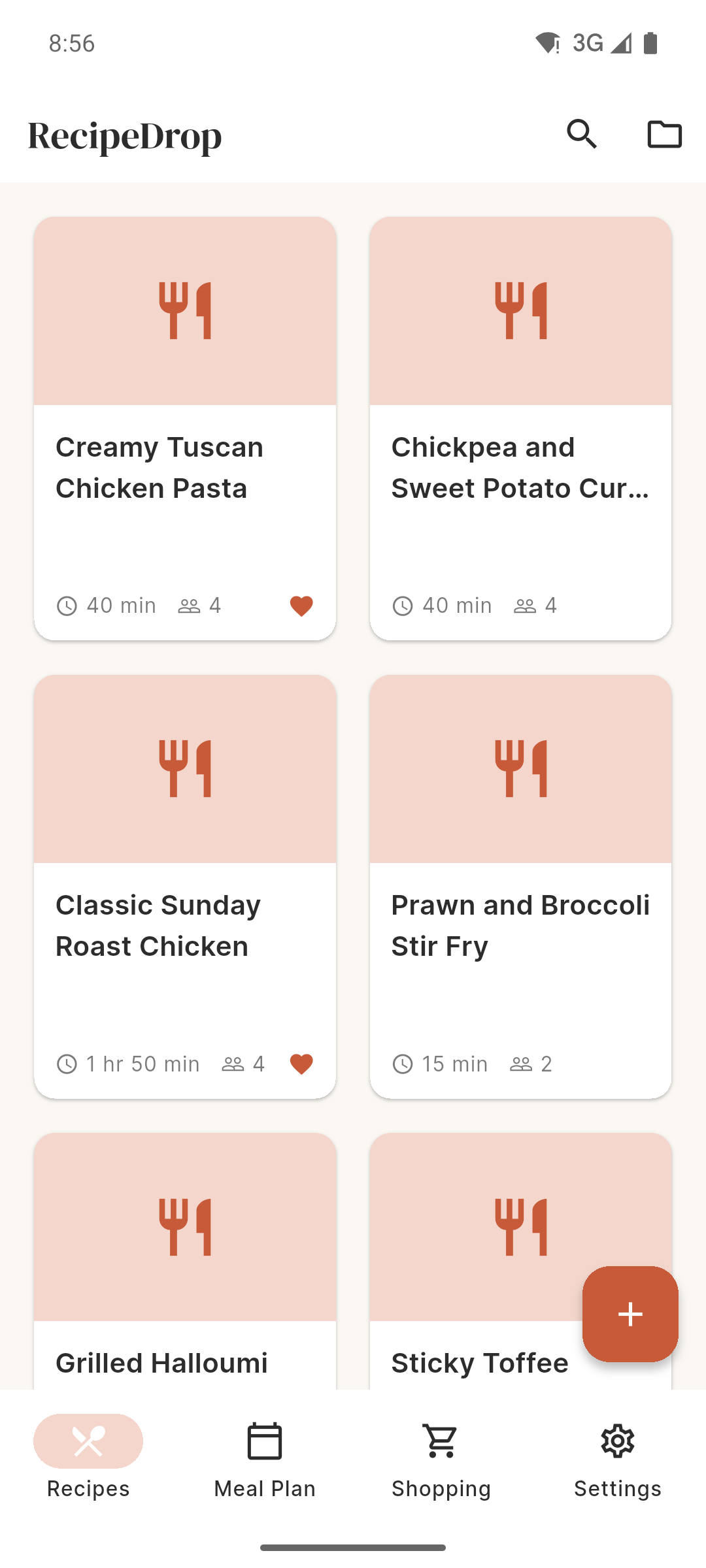
Your Recipe Vault is the heart of RecipeDrop. It is where all your saved recipes live, displayed as a grid of cards showing the recipe name, source, and a small preview. Think of it as your personal cookbook that never gets stained or lost.
You can browse all your recipes, filter by collection, or search by name instantly. Every recipe you import or create manually ends up here.
RecipeDrop stores everything on your device. Your recipes, collections, meal plans, and shopping lists never leave your phone. There is no cloud sync, no account, and no data sent to any server (except the recipe URL when you import, which is needed to fetch the recipe content).
This means your data is private by default, but it also means you should back up your device regularly to avoid losing your recipes.
RecipeDrop can import recipes from over 611 popular recipe websites, plus video platforms like TikTok, Instagram Reels, and YouTube Shorts. The import process strips away all the ads, pop-ups, and life stories, giving you just the ingredients and method.
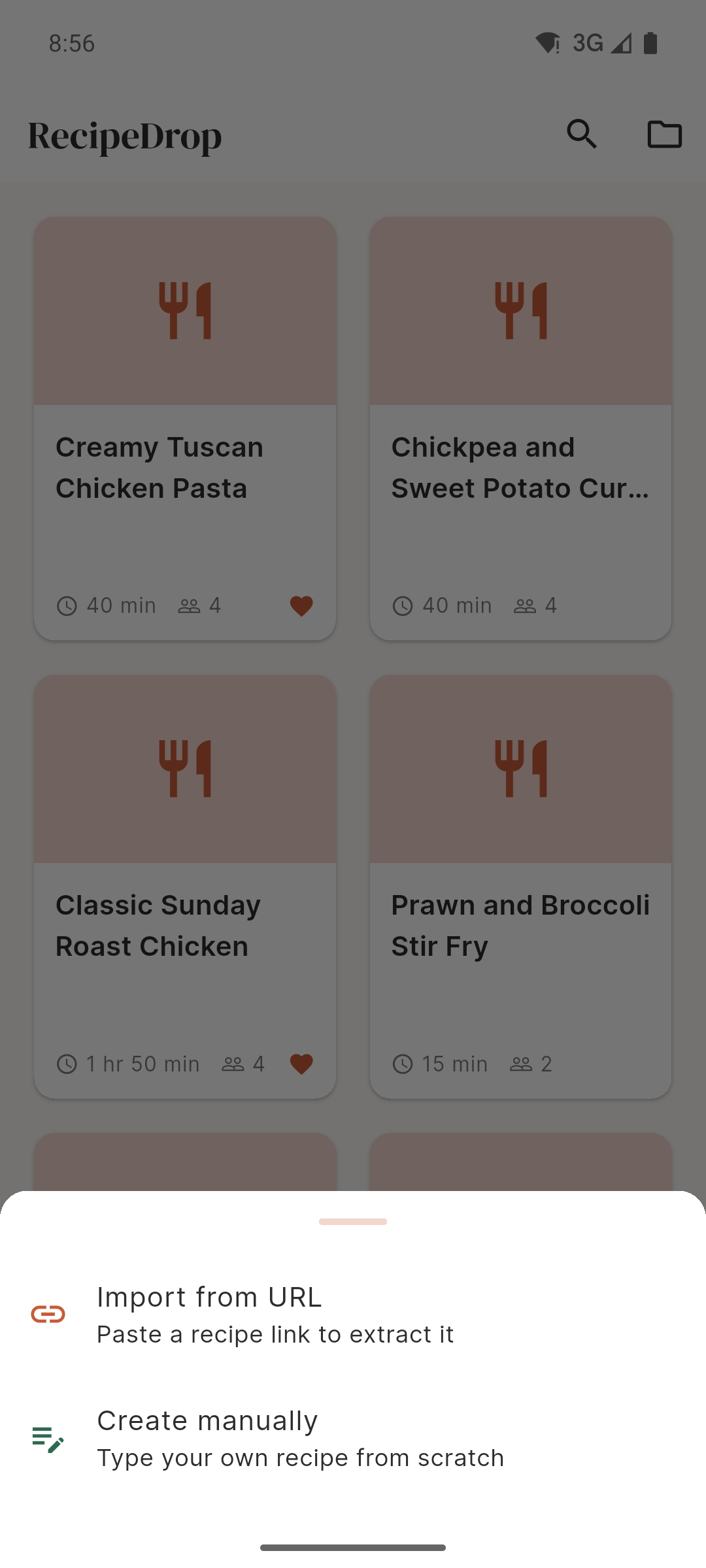
The simplest way to import a recipe:
RecipeDrop will fetch the page, extract the recipe data, and save it to your vault. The whole process usually takes two to five seconds, depending on your internet connection.
On iPhone and iPad, you can share recipes directly from Safari (or any other browser) without needing to switch apps:
On Android, a similar process works through the share intent system. Share a URL from any browser or app, and select RecipeDrop from the sharing options.
RecipeDrop can extract recipes from video content on TikTok, Instagram Reels, and YouTube Shorts. When the structured recipe data is not available on the page, RecipeDrop uses an AI assistant to analyse the content and extract the ingredients and method.
Simply paste the video URL just like any other recipe. The AI fallback handles the rest.
RecipeDrop supports over 611 recipe websites out of the box, including all the popular ones:
For sites that are not directly supported, RecipeDrop tries to parse the recipe using structured data embedded in the page (JSON-LD). If that also fails, the AI fallback kicks in automatically.
Not every recipe lives on the internet. For your nan's shepherd's pie, that curry your mate makes, or any recipe you have written on a scrap of paper — you can enter it manually.
Each ingredient goes on its own line. You can include quantities, units, and preparation notes (e.g., "200g chicken breast, diced"). Method steps are numbered automatically.
Collections let you organise your recipes into groups that make sense to you. Think of them like folders or playlists for your recipes.
Some ideas for collections:
A recipe can belong to multiple collections. Removing a recipe from a collection does not delete the recipe itself — it stays in your vault.
Kitchen Mode is designed for when you are actually cooking. It gives you a full-screen, distraction-free view of each step, with large text that is easy to read from a distance — even with flour on your hands.
To enter Kitchen Mode:
When a recipe step mentions a time (like "bake for 25 minutes"), Kitchen Mode offers a timer you can start right from the step. You can run multiple timers at once — handy for recipes with overlapping cooking times.
When a timer finishes, you will hear an alert sound so you know to check on your food, even if your phone is across the kitchen.
While Kitchen Mode is active, your screen will stay on and will not dim or lock. This means you can glance at your phone for the next step without having to unlock it with messy hands.
The screen-on lock is only active during Kitchen Mode. When you exit, your phone returns to its normal screen timeout settings.
Need to double a recipe for guests, or halve it for just yourself? Portion scaling adjusts all the ingredient quantities automatically.
The scaling system handles unit conversions intelligently. If you scale up enough, it will convert tablespoons to cups, grams to kilograms, and so on — keeping things practical for the kitchen.
The Meal Planner helps you plan your week of meals in advance. No more standing in front of the fridge at 6pm wondering what to cook.
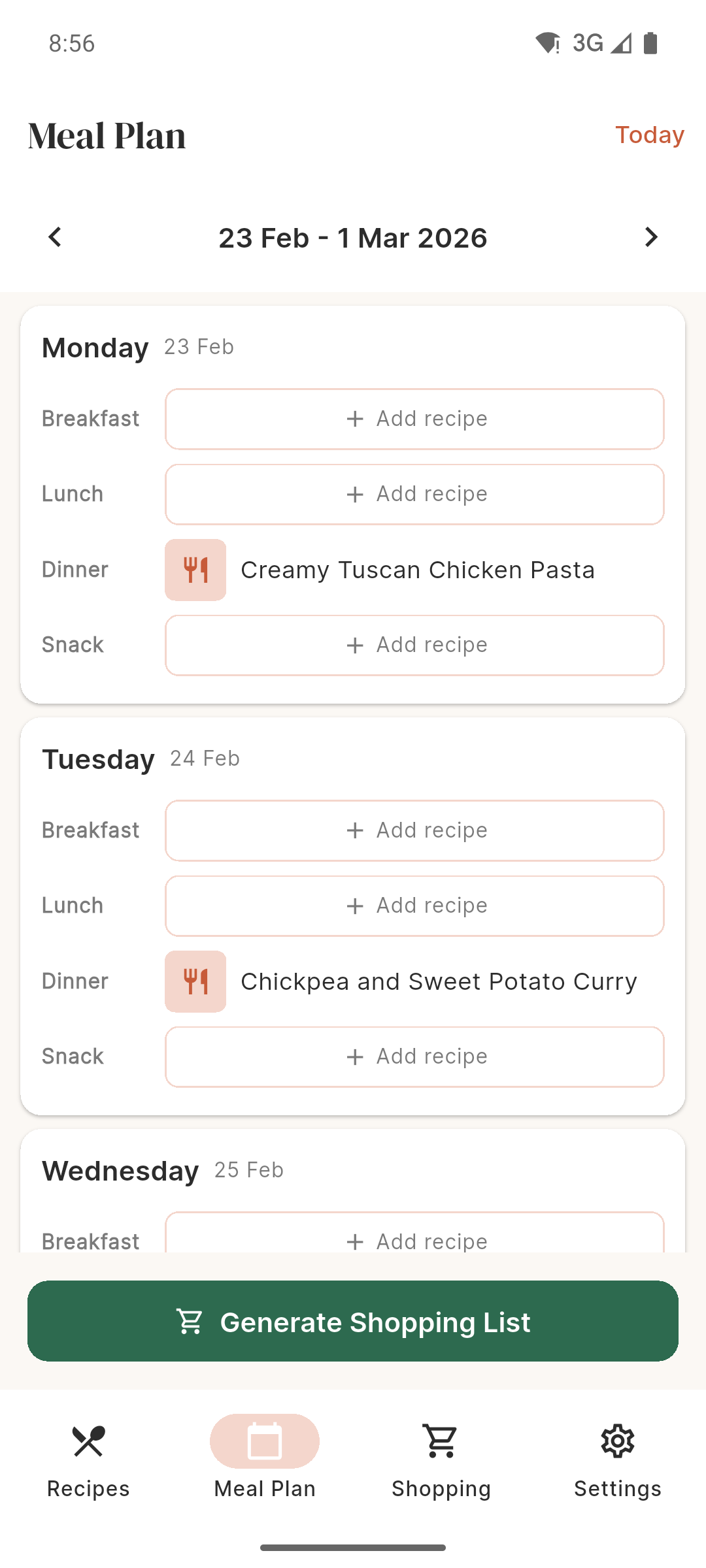
Use the arrows at the top of the Meal Plan screen to navigate between weeks. You can plan ahead or review what you ate last week.
Once you have planned your meals, tap Generate Shopping List to automatically create a shopping list from all the recipes in your meal plan. This is where RecipeDrop really saves you time — more on that in the next section.
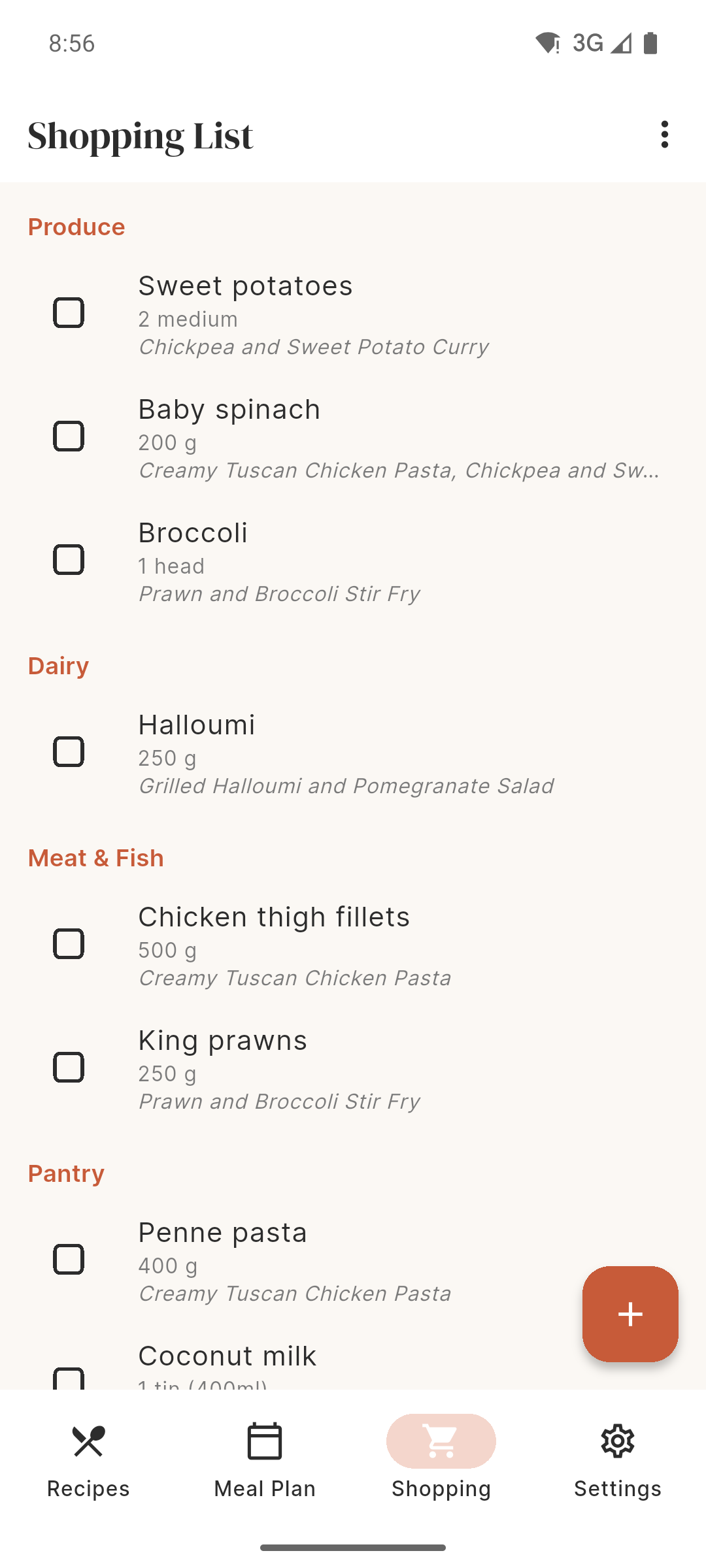
RecipeDrop generates smart shopping lists from your meal plan. It does not just dump every ingredient into a list — it merges duplicates, converts units, and groups items by category so you can work through the supermarket efficiently.
Your recipe vault has instant search built in. Start typing a recipe name, and the results filter in real time. This is especially useful once you have built up a large collection of recipes.
You can also browse by collection using the chips at the top of the Home screen. Tap a collection chip to filter the grid to only show recipes in that collection. Tap "All" to see everything again.
The Settings screen (accessible via the gear icon) gives you control over your app and data.
| Setting | Description |
|---|---|
| Scraper URL | The server used to extract recipes. You should not need to change this unless instructed by support. |
| About | App version, build number, and links |
| Privacy Policy | Link to the RecipeDrop privacy policy |
| Contact Support | Opens an email to [email protected] |
Your recipe data is stored locally on your device. To protect your recipes:
Here are some practical ways to get the most out of RecipeDrop.
This is how I use RecipeDrop every week, and it saves me a good hour of thinking and planning:
If you are just getting started and want to import a load of recipes at once, here is the quickest approach:
On iOS, the Share Extension makes this even faster — just browse recipes in Safari and share each one to RecipeDrop without switching apps.
Some websites have unusual page structures that can trip up the scraper. Try importing the same recipe from a different source (many recipes appear on multiple sites). If the problem persists with a specific site, please contact us at [email protected] and include the URL — we will look into adding support for that site.
Yes. Open the recipe, and you can edit any ingredient or step manually. Tap the recipe to view it, then look for the edit option. This is useful for correcting any parsing quirks or adjusting quantities to your taste.
Yes, once a recipe is saved in your vault, you can access it completely offline. The only feature that requires an internet connection is importing new recipes from URLs, since RecipeDrop needs to fetch the webpage.
A web companion app is on the roadmap, but the focus right now is on making the mobile app the best it can be.
There is no catch. RecipeDrop is free, has no ads, and does not sell your data. It is built by a small company (Overpass Apps) that believes recipe apps should not be cluttered with advertising. We may add optional premium features in the future, but the core experience will always be free.
RecipeDrop stores data locally on your device. If your device was backed up to iCloud (iOS) or Google (Android) before you reinstalled, your recipes should be restored when you restore from that backup. If you did not have a backup, unfortunately the recipes cannot be recovered. We are working on cloud sync for a future version.
RecipeDrop works on iPad and Android tablets. The interface adapts to larger screens, giving you more room for your recipe grid and Kitchen Mode.
Currently, the best way to share a recipe is to share the original URL that you imported it from. We are exploring recipe-sharing features for a future update.
The timer alert uses a built-in sound. Make sure your phone's volume is turned up and that it is not on silent mode. The alert is designed to be noticeable without being jarring.
Not yet, but this is something we are considering. For now, you can type in recipes manually using the Manual Entry feature. It is straightforward and only takes a couple of minutes per recipe.
RecipeDrop is under active development. Here is what we are working on:
If you have a feature request, drop us a line at [email protected]. We read every email.
RecipeDrop is built and maintained by Overpass Apps Ltd, a UK-based app development company.
Version 0.1.0 — March 2026
For support, contact [email protected]